thinkcar-tk-imt602
THINKCAR TK-IMT602
FUEL INJECTOR CLEANER & TESTER
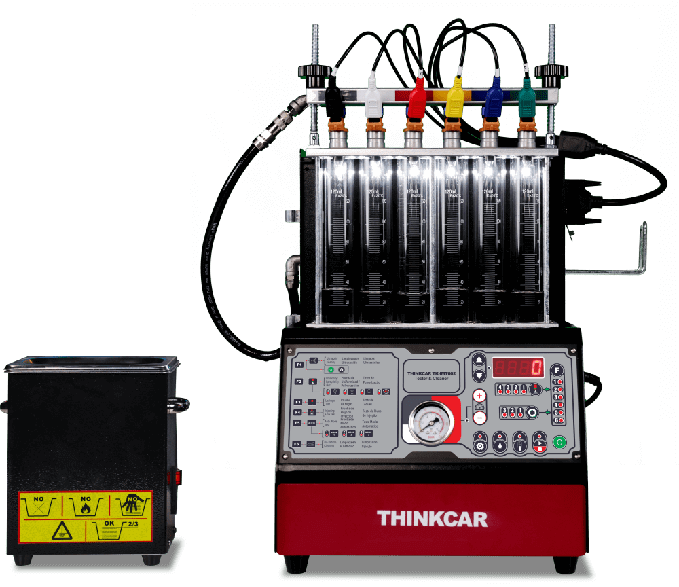
THINKCAR TK-IMT602 is a powerful fuel injector cleaning and inspecting equipment developed by THINKCAR. Integrates fuel injector clean and test function. It's widely use in automotive maintenance and repair.

Ultrasonic Cleaning

Fuel Injector Test

Uniformity Test

Leak Checking Test

All-in-one Design
Main Function
THINKCAR TK-IMT602 is a mechatronics device that combines ultrasonic cleaning technology and microcomputer oil pressure closed loop control cleaning and detection technology. This product simulates various operating conditions of the engine, cleans and inspects the fuel injectors of various automobiles and motorcycles.
ULTRASONIC CLEANING
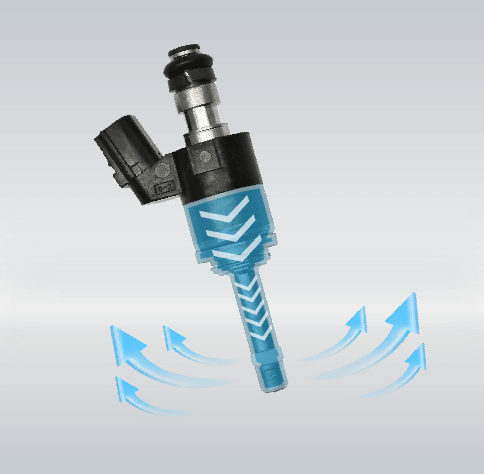
THINKCAR Injector Cleaner utilize the ultrasonic technology to quickly remove carbon, muck attached in the injectors. The independent ultrasonic cleaning mechanism and LED display featuring, ensure a thorough cleaning & makes data straightforward.
FUEL INJECTOR TEST
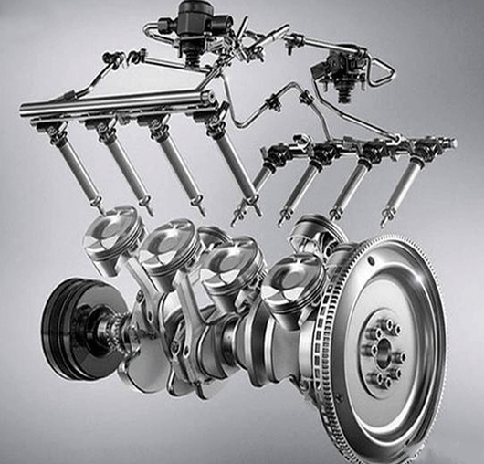
TK-IMT603 simulates different working conditions of the engine, and tests injectors of various cars such as uniformity test, spray-ability test,Injecting flow test, leakage test etc... to detect the status of the fuel injectors.
UNIFORMITY DETECTION
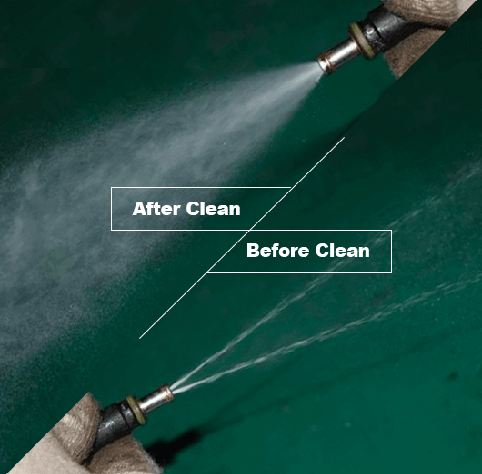
THINKCAR TK-IMT602 can detect the uniformity of the injection volume of each injector and to monitor the spraying status of each injector with the help of backlight.
Advantages
WIDE APPLICATION
Support 99% car injectors on the markets.

superior quality OIL PUMP
ensure long-term stable use.
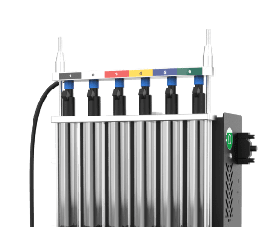
superior quality OIL PUMP
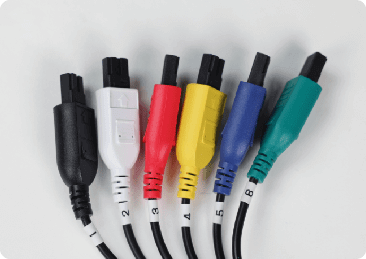
6-cylinders, allows for 6 injector cleaned simultaneously.
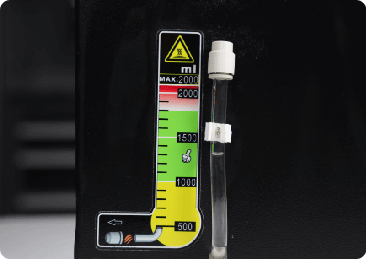
Fuel tank level is visually displayed
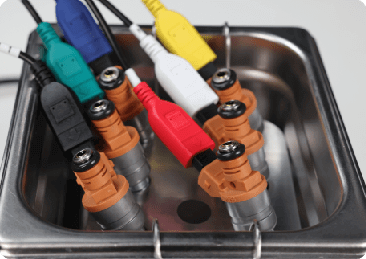
Ultrasonic cleaning
Easy to Use
ULTRASONIC CLEANING
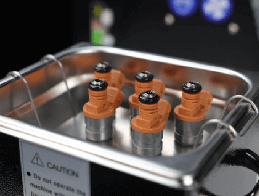
Step one:
Pour in the detergent and place the fuel injectors in the ultrasonic cleaner.
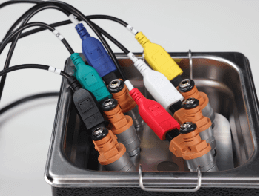
Step two:
Connect the pulse signal wire, select the ultrasonic cleaning function to start working.
FUEL INJECTOR TESTING
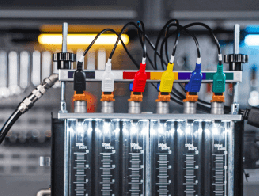
Step one:
Pour in the test liquid, install the fuel injector .
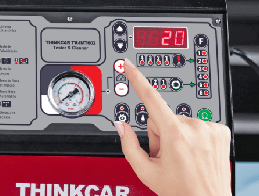
Step two:
Select the test function to start testing.
Specifications
Accessories
Comparisons
Specifications
| TIME | 0~20 minute (adjustable) |
| WEIGHT | 16kg |
| FREQUENCY | 50HZ±0.5 |
| DIMENSIONS | 380mm x 485mm x470mm |
| SPEED RANGE | 0~7500 rpm |
| Power Supply | AC220V/110V±10% |
| MAGNETIC FIELD | <400A/m |
| SYSTEM PRESSURE | 0~72 psi (adjustable) |
| PWM PULSE 0~20.0 MS STEP | 0.1 ms |
| INJECTING TIMES 0~7500 STEP | 100ms |
| POWER OF ULTRASONIC CLEANING | 70W |
| FREQUENCY ULTRASONIC CLEANING | 28 KHZ±0.5 KHZ |
| CAPACITY OF MEASURING CYLINDER | 125 ml |
FAQ
Insufficient contact of VCI with vehicle OBD port
Please replug the VCI.
Unfix the firmware.
Click “settings” and then "firmware repair" icon to upgrade the firmware.
Bad contact of the VCI
Please reinsert the VCI and try again.
Problem with Bluetooth pairing.
Please cancel the Bluetooth pairing of the diagnostic VCI and re-use the software to automatically pair the VCI.
The diagnostic tablet is left unused for a long time and the battery runs out of power.
Boot by long-pressing the ON/OFF button after 2 hours charging.
Adapter failure.
Please confirm whether the adapter is properly connected to power supply, or the interface contact is in the right place.
No network on the diagnostic tablet.
Check if the diagnostic tablet is connected to good network.
Get prompted that the email address has been signed up.
1. Sign up a new account;2. Retrieve the password and sign in with the original account.
Fail to receive the verification code during sign-up.
1. Check if the email address is correct;
2. Resend a new verification code.
Username or password incorrect.
1. Check if the username or password is correct; 2. Reset your password.
Server failure.
Please try later due to server maintenance.
The device is not connected to Internet
Please confirm whether WiFi network is working normally or network connection is successful.
The serial number and activation code are entered incorrectly
Please check and confirm whether the serial number and activation code are correctly entered (12 digits for serial number and 8 digits for activation code).
Activation code is invalid
Please contact THINKCAR service team or regional sales.
Prompt that the configuration is empty
Please contact THINKCAR service team or regional sale.
When the software is upgraded, it prompts that it is not activated.
The diagnostic VCI may not be activated during registration. Please use the serial number and activation code in the password envelope to activate the device. The operation steps are as follows: Click [Settings]-[VCI Activation], and enter the correct serial number and activation code in the interface, and click [Activate]. If you have any questions, please contact after-sales customer service.
The device is not connected to Internet
Please confirm whether WiFi network is working normally or network connection is successful.
Insufficient storage space
Please uninstall irrelevant applications: select and delete uncommon software in “Software cleaning module” under “Settings” menu.
Server problem
Server under maintenance. Please try again later.
Poor contact of vehicle OBD internal circuit
Please check if OBD pins are all in good conditions.
Vehicle battery heavily loss of electricity
Please recharge of replace the battery.
VCI damage
Please provide proof video to THINKCAR service team for processing.How to save power?
1)Please sleep the screen,if the tablet isn’t been used. 2)Reduce screen standby time by setting. 3)Reduce the screen brightness by setting.
Where can I purchase a THINKCAR device?
Please contact your local dealers listed in www.thinkcar.com to buy THINKCAR tools.
Can I dis-active my diagnostic tools?
Cancellation of registration is not allowed.If there are any special circumstances, the dealer will submit the SN and application reason to the company to apply, and the dealer will assume that the customer complaint caused by the cancellation of the registration will be assumed by the dealer.
Can the account password be changed?
Modification is not allowed, customers are advised to modify by themselves by retrieving the password